- 在LVGL中实现可变字体(Variable Font)-第一章
- 在LVGL中实现可变字体(Variable Font)-第二章
- 在LVGL中实现可变字体(Variable Font)-第三章
前言
(2025年11月 重制版说明): 这篇文章的初版我曾发布于第三方平台(简书+Bilibili),并累计获得了50,000+ 次阅读 和大量开发者的反馈。 为了提供更好的阅读体验,我对文章排版和部分内容进行了优化,并将其独家发布在此个人博客
不知道多久前看到了MIUI更新了”动态字体系统”功能,不过当时没太在意(毕竟我用的也不是MIUI,哈哈哈,不过确实挺方便的),演示视频里面展示了随意调节字体粗细的功能,后来知道这个参数叫做字重(zhong第四声).
然后又有一次去Material.io时候,看见了首页的Material You概念视频 手机解锁以后,系统时间的字体由细变粗.和上面MIUI动态字体系统调节字重的时候效果十分相似.
老早就听说了LVGL的大名,但是一直没有行动起来.
后来看见稚晖君的Peak和FASTSHIFT的X-Track, 羡慕极了. 于是决定这次一定要试试LVGL,看看用起来到底是啥感觉.
之前自己搁那瞎捣鼓过一阵子的GUI,结果嘛,结果就是就弃坑了.
这次打算直接上LVGL这种成熟的GUI方案了,而恰好LVGL是支持FreeType的,借助FreeType就可以相对轻松的实现上面的字重动画.
什么是FreeType
FreeType库是一个完全免费(开源)的、高质量的且可移植的字体引擎
目前主流的屏幕均都是由像素点构成,不能直接显示矢量图,所以就需要字体引擎将字体的矢量数据转换为位图数据,然后在屏幕上显示 “点灯” 出来.
Variable Font又是什么
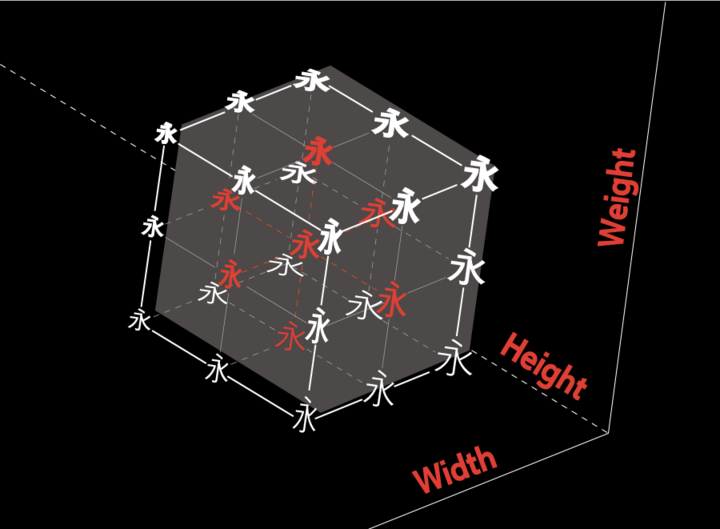 储存轮廓变化数据的可变字体,在初始字形轮廓的基础上自动生成丰富的变化造型,使用户可以自由调整文字的外观。
枯燥的描述不如直接上手体验一下,V-Fonts是一个在线体验可变字体的网站,拖动滑块就可以修改字体在对应轴上的值,即上述的自由调整文字的外观.
储存轮廓变化数据的可变字体,在初始字形轮廓的基础上自动生成丰富的变化造型,使用户可以自由调整文字的外观。
枯燥的描述不如直接上手体验一下,V-Fonts是一个在线体验可变字体的网站,拖动滑块就可以修改字体在对应轴上的值,即上述的自由调整文字的外观.
准备工作
准备工作的准备工作之先把Visual Studio装了再说
下载LVGL模拟器
本打算再开一篇文章说模拟器安装的,重装的时候才发现原来一键就能安装.
(可能需要科学上网) 直接复制git命令就完事了,下完点击LVGL.Simulator.sln直接启动.
git clone --recurse-submodules https://github.com/lvgl/lv_sim_visual_studio.git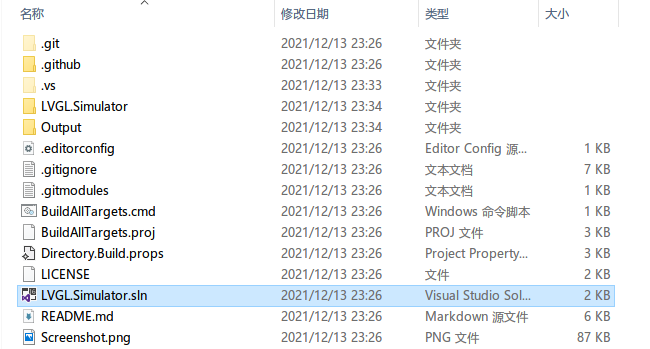 启动以后看到lvgl自带的**lv_demo_widgets()**运行效果.

为LVGL配置FreeType
得益于lv_sim_visual_studio的完整性,刚才git clone —recurse-submodules时候freetype被一并下载了. 所以现在暂时不需要额外配置什么内容,但是在其他情况下还是需要手动的配置一下LVGL的FreeType支持.(比如在板子上跑freetype的时候)
LVGL内置的FreeType Demo
将LVGL.Simulator.cpp内
// ----------------------------------
// Demos from lv_examples
// ----------------------------------
lv_demo_widgets();           // ok
// lv_demo_benchmark();
// lv_demo_keypad_encoder();    // ok
// lv_demo_music();             // removed from repository
// lv_demo_printer();           // removed from repository
// lv_demo_stress();            // ok

// ----------------------------------
// LVGL examples
// ----------------------------------
修改为
// ----------------------------------
// Demos from lv_examples
// ----------------------------------

// lv_demo_widgets();           // ok
// lv_demo_benchmark();
// lv_demo_keypad_encoder();    // ok
// lv_demo_music();             // removed from repository
// lv_demo_printer();           // removed from repository
// lv_demo_stress();            // ok
lv_example_freetype_1();
// ----------------------------------
// LVGL examples
// ----------------------------------
如果一切顺利,点击运行.会看见下图
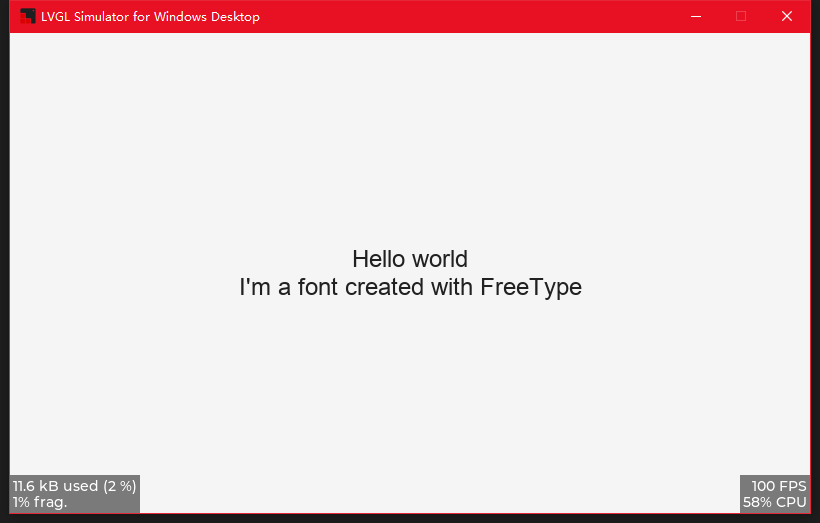
下面则是lv_example_freetype_1的内容,我已经为他添加了详luo细suo的中文注释
/\*\*

- 使用FreeType加载字体
  _/
  void lv_example_freetype_1(void)
  {
  /_ 创建字体结构体 info _/
  static lv_ft_info_t info;
  /_ FreeType 使用 C standard 文件系统, 所以不需要盘符 _/
  /_ 目前程序在Windows上运行, 根目录为LVGL.Simulator.c所在文件夹 \*/
  // 希望使用的字体的所在位置,即它的路径
  info.name = "./lvgl/examples/libs/freetype/arial.ttf";
  // 希望生成字体的高度, 这里叫作weight感觉挺奇怪的,weight应该是字重的英文
  // [update-2021.12.17] 作者这里是一个失误,但是为了兼容性就没更正
  // [Issues](https://github.com/lvgl/lv_lib_freetype/issues/17)
  info.weight = 24;
  // 字体的风格
  info.style = FT_FONT_STYLE_NORMAL;
  // 字体文件指针
  info.mem = NULL;
  // 初始化字体
  if(!lv_ft_font_init(&info)) {
  LV_LOG_ERROR("create failed.");
  }
  // 为上面的新字体创建一个style
  static lv_style_t style;
  // 初始化style
  lv_style_init(&style);
  // 应用刚才创建的字体到style上
  lv_style_set_text_font(&style, info.font);
  // 设置style的align为居中
  lv_style_set_text_align(&style, LV_TEXT_ALIGN_CENTER);

      // 为上面的style创建一个label以展示
      lv_obj_t * label = lv_label_create(lv_scr_act());
      // 为label添加刚才创建的style
      lv_obj_add_style(label, &style, 0);
      // 设置label的内容为Hello world\nI'm a font created with FreeType
      lv_label_set_text(label, "Hello world\nI'm a font created with FreeType");
      // 居中label
      lv_obj_center(label);

  }
迫于arial.ttf不是可变字体,所以我们趁此机会修改一下lv_example_freetype_1中用到的字体,熟悉下使用其他字体的方式.
**Archivo-VF.ttf**是一款Open Font License的字体 点击这里可以下载Archivo-VF.ttf
将其复制到arial.ttf同级目录,然后修改
info.name = "./lvgl/examples/libs/freetype/arial.ttf";为
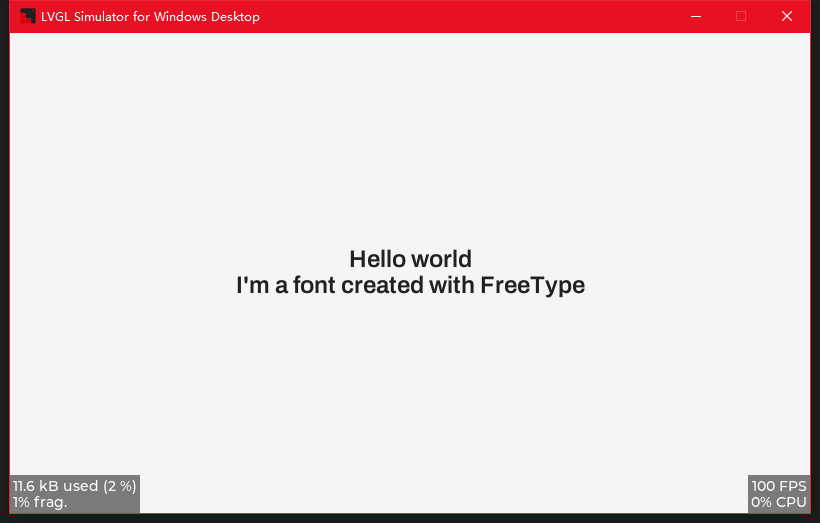
info.name = "./lvgl/examples/libs/freetype/Archivo-VF.ttf";运行结果如下
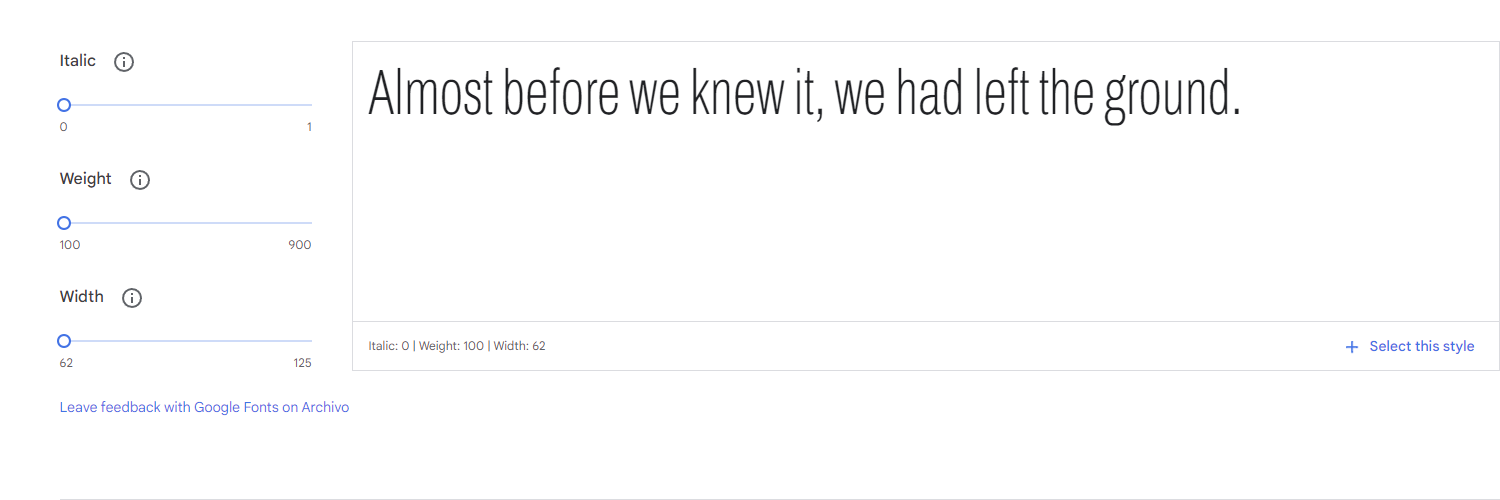
字体在线展示
ArchivoVF的可变属性如下
- 最小字重100
- 最大字重900
- 最小宽度62
- 最大宽度125
拓展LVGL的FreeType支持
由于LVGL目前版本(8.10-dev)还没有内置可变字体参数控制,所以需要我们手动的为其添加这部分内容.
添加支持前,速览下修改可变参数的方式及其啰嗦的注释 (需要使用可变字体进行操作,否则无法正常运行(包括不限于崩溃以及崩溃),测试用的字体文件为Archivo-VF,可在前面一节末尾获取到)
// face的类型为FT_Face
FT_Error error;
FT_MM_Var \*amaster = nullptr;
// 获取可变参数
error = FT_Get_MM_Var(face, &amaster);
printf("error %d\n", error);
// 可变参数数量(每一个可变参数被称为一个axis(轴)))
printf("amaster->axis=%d\n", (amaster)->num_axis);
// 注意:上面提供的Archivo-VF文件只有2个可变轴Weight和Width
// 而amaster->axis是一个指向可变轴数组首位数据的指针
// 可变参数的名称id,在font文件内表'name'的id
printf("amaster->axis->strid=%u\n", amaster->axis->strid);
// 可变参数的内置标签
printf("amaster->axis->tag=%lu\n", amaster->axis->tag);
// 可变参数的名称
printf("amaster->axis->name=%s\n", amaster->axis->name);
// 可变参数的默认值
printf("amaster->axis->def=%ld\n", amaster->axis->def);
// 可变参数的最大值 16.16的定点数 amaster->axis->maximum / 65536; // 除以65536转化
printf("amaster->axis->maximum=%ld\n", amaster->axis->maximum);
// 可变参数的最小值 16.16的定点数 amaster->axis->minimum / 65536; // 除以65536转化
printf("amaster->axis->minimum=%ld\n", amaster->axis->minimum);
// 以前为了获得不同粗细的字体,就需要准备字重Thin,Bold,Normal这样不同字重的文件
// 而引入可变字体后,一个字体文件就内置了这些Thin Bold Normal的对应字重.
// 此处储存了当前轴内置默认值的数量
printf("amaster->num_namedstyles=%d\n", amaster->num_namedstyles); // 此处打印2
// 可变参数的内置num_namedstyle值的数组,以字重为例,里面可能存有(100,200,300,400,500,600,700,800,900)
printf("amaster->namedstyle->coords=%ld\n", (signed long) amaster->namedstyle->coords);
FT_Fixed coords[2] = { (amaster->axis)->maximum ,(amaster->axis + 1)->maximum};
printf("amaster->(axis)->maximum=%ld\n", (amaster->axis)->maximum /65536); // 此处打印900,符合前一节的图中字重最大值
printf("amaster->(axis+1)->maximum=%ld\n", (amaster->axis+1)->maximum /65536); // 此处打印125,符合前一节的图中字宽最大值
// 调整可变参数的值,此处将字重和字宽都设置为最大值
error = FT_Set_Var_Design_Coordinates(face,
2, coords);
printf("FT_Set_Var_Design_Coordinates error %d\n", error);
printf("face num_faces: %ld\n", face->num_faces);
// 使用可变参数的内置num_namedstyle
// styleIndex需要小于上述num_namedstyles
// error = FT_Set_Named_Instance(m_face, styleIndex);
// printf("FT_Set_Named_Instance error %d\n", error);
FT_Done_MM_Var(m_library, amaster);
由于目前版本的lvgl(8.1.0-dev)还没有提供相应的API,所以需要手动修改一些地方. 打开lv*freetype.h,修改lv_ft_info_t内容,如下所示
typedef struct {
const char * name; /_ The name of the font file _/
lv*font_t * font; /_ point to lvgl font _/
uint16*t weight; /* font weight _/
uint16_t height; /_ font size _/
uint16_t style; /_ font style \_/
} lv_ft_info_t;
请注意:
lv_ft_info_t本身就有一个名为weight的uint16_t属性,但是后续被用到了字体的宽高尺寸上,所以现在我们需要添加height取代原来的weight,让weight成为名副其实的weight
推荐先把weight重命名为height,再把后续用到weight的地方改成height,当lv_example_freetype_1又能够成功运行的时候再添加”uint16_t weight;”
lv_font_fmt_ft_dsc_t也要添加字重(weight) 打开lv_freetype.c,修改lv_font_fmt_ft_dsc_t内容,如下所示
typedef struct {
##if LV_FREETYPE_CACHE_SIZE >= 0
void *face_id;
##else
FT_Size size;
##endif
lv_font_t *font;
uint16_t style;
uint16_t height;
uint16_t weight;
} lv_font_fmt_ft_dsc_t;
这里直接添加”uint16_t weight;“即可
将修改字重的代码添加到lv*freetype.c内get_glyph_dsc_cb_cache中
static bool get_glyph_dsc_cb_cache(const lv_font_t * font,
lv*font_glyph_dsc_t * dsc_out, uint32_t unicode_letter, uint32_t unicode_letter_next)
{
LV_UNUSED(unicode_letter_next);
if(unicode_letter < 0x20) {
dsc_out->adv_w = 0;
dsc_out->box_h = 0;
dsc_out->box_w = 0;
dsc_out->ofs_x = 0;
dsc_out->ofs_y = 0;
dsc_out->bpp = 0;
return true;
}

    lv_font_fmt_ft_dsc_t * dsc = (lv_font_fmt_ft_dsc_t *)(font->dsc);

    FTC_FaceID face_id = (FTC_FaceID)dsc->face_id;
    FT_Size face_size;
    struct FTC_ScalerRec_ scaler;
    scaler.face_id = face_id;
    scaler.width = dsc->height;
    scaler.height = dsc->height;
    scaler.pixel = 1;
    if(FTC_Manager_LookupSize(cache_manager, &scaler, &face_size) != 0) {
        return false;
    }


    FT_Face face = face_size->face;

    FT_MM_Var* amaster = NULL;
    FT_Error err = FT_Get_MM_Var(face, &amaster);
    if (err) {
        LV_LOG_ERROR("FT_Get_MM_Var error:%d\n", err);
        return err;
    }
    // 别忘记左移16位,还有一件事,我只修改了字重,没修改字宽,所以数组大小是1
    FT_Fixed coords[1] = { dsc->weight<<16 };
    err = FT_Set_Var_Design_Coordinates(face, 1, coords);
    if (err) {
        LV_LOG_ERROR("FT_Set_Var_Design_Coordinates error:%d\n", err);
        return err;
    }
    FT_Done_MM_Var(library, amaster);

    FT_UInt charmap_index = FT_Get_Charmap_Index(face->charmap);
    FT_UInt glyph_index = FTC_CMapCache_Lookup(cmap_cache, face_id, charmap_index, unicode_letter);
    dsc_out->is_placeholder = glyph_index == 0;

    if(dsc->style & FT_FONT_STYLE_ITALIC) {
        FT_Matrix italic_matrix;
        italic_matrix.xx = 1 << 16;
        italic_matrix.xy = 0x5800;
        italic_matrix.yx = 0;
        italic_matrix.yy = 1 << 16;
        FT_Set_Transform(face, &italic_matrix, NULL);
    }

    if(dsc->style & FT_FONT_STYLE_BOLD) {
        current_face = face;
        if(!get_bold_glyph(font, face, glyph_index, dsc_out)) {
            current_face = NULL;
            return false;
        }
        goto end;
    }

    FTC_ImageTypeRec desc_type;
    desc_type.face_id = face_id;
    desc_type.flags = FT_LOAD_RENDER | FT_LOAD_TARGET_NORMAL;
    desc_type.height = dsc->height;
    desc_type.width = dsc->height;

##if LV_FREETYPE_SBIT_CACHE
FT_Error error = FTC_SBitCache_Lookup(sbit_cache, &desc_type, glyph_index, &sbit, NULL);
if(error) {
LV_LOG_ERROR("SBitCache_Lookup error");
return false;
}

    dsc_out->adv_w = sbit->xadvance;
    dsc_out->box_h = sbit->height;  /*Height of the bitmap in [px]*/
    dsc_out->box_w = sbit->width;   /*Width of the bitmap in [px]*/
    dsc_out->ofs_x = sbit->left;    /*X offset of the bitmap in [pf]*/
    dsc_out->ofs_y = sbit->top - sbit->height; /*Y offset of the bitmap measured from the as line*/
    dsc_out->bpp = 8;               /*Bit per pixel: 1/2/4/8*/

##else
FT_Error error = FTC_ImageCache_Lookup(image_cache, &desc_type, glyph_index, &image_glyph, NULL);
if(error) {
LV_LOG_ERROR("ImageCache_Lookup error");
return false;
}
if(image_glyph->format != FT_GLYPH_FORMAT_BITMAP) {
LV_LOG_ERROR("Glyph_To_Bitmap error");
return false;
}

    FT_BitmapGlyph glyph_bitmap = (FT_BitmapGlyph)image_glyph;
    dsc_out->adv_w = (glyph_bitmap->root.advance.x >> 16);
    dsc_out->box_h = glyph_bitmap->bitmap.rows;         /*Height of the bitmap in [px]*/
    dsc_out->box_w = glyph_bitmap->bitmap.width;        /*Width of the bitmap in [px]*/
    dsc_out->ofs_x = glyph_bitmap->left;                /*X offset of the bitmap in [pf]*/
    dsc_out->ofs_y = glyph_bitmap->top -
                     glyph_bitmap->bitmap.rows;         /*Y offset of the bitmap measured from the as line*/
    dsc_out->bpp = 8;         /*Bit per pixel: 1/2/4/8*/

##endif

end:
if((dsc->style & FT_FONT_STYLE_ITALIC) && (unicode_letter_next == '\0')) {
dsc_out->adv_w = dsc_out->box_w + dsc_out->ofs_x;
}

    return true;

}
初始化的时候,别忘了lv*ft_font_init_cache时候传递字重信息
static bool lv_ft_font_init_cache(lv_ft_info_t * info)
{
lv*font_fmt_ft_dsc_t * dsc = lv_mem_alloc(sizeof(lv_font_fmt_ft_dsc_t));
if(dsc == NULL) return false;

    dsc->font = lv_mem_alloc(sizeof(lv_font_t));
    if(dsc->font == NULL) {
        lv_mem_free(dsc);
        return false;
    }
    lv_memset_00(dsc->font, sizeof(lv_font_t));
    lv_face_info_t * face_info = NULL;
    face_info = lv_mem_alloc(sizeof(lv_face_info_t) + strlen(info->name) + 1);
    if(face_info == NULL) {
        goto Fail;
    }
    face_info->mem = info->mem;
    face_info->size = info->mem_size;
    face_info->name = ((char *)face_info) + sizeof(lv_face_info_t);
    strcpy(face_info->name, info->name);

    dsc->face_id = face_info;
    dsc->height = info->height;
    dsc->weight = info->weight;
    dsc->style = info->style;

    /* use to get font info */
    FT_Size face_size;
    struct FTC_ScalerRec_ scaler;
    scaler.face_id = (FTC_FaceID)dsc->face_id;
    scaler.width = info->height;
    scaler.height = info->height;
    scaler.pixel = 1;
    FT_Error error = FTC_Manager_LookupSize(cache_manager, &scaler, &face_size);
    if(error) {
        lv_mem_free(face_info);
        LV_LOG_ERROR("Failed to LookupSize");
        goto Fail;
    }

    lv_font_t * font = dsc->font;
    font->dsc = dsc;
    font->get_glyph_dsc = get_glyph_dsc_cb_cache;
    font->get_glyph_bitmap = get_glyph_bitmap_cb_cache;
    font->subpx = LV_FONT_SUBPX_NONE;
    font->line_height = (face_size->face->size->metrics.height >> 6);
    font->base_line = -(face_size->face->size->metrics.descender >> 6);

    FT_Fixed scale = face_size->face->size->metrics.y_scale;
    int8_t thickness = FT_MulFix(scale, face_size->face->underline_thickness) >> 6;
    font->underline_position = FT_MulFix(scale, face_size->face->underline_position) >> 6;
    font->underline_thickness = thickness < 1 ? 1 : thickness;

    /* return to user */
    info->font = font;

    return true;

Fail:
lv_mem_free(dsc->font);
lv_mem_free(dsc);
return false;
}
效果预览
不出意外的话,需要修改的地方已经修改完了,现在回到lv_example_freetype_1上来.初始化info的时候把weight也给初始化了.
// 由于已经知道了要使用的Archivo-VF最大字重900;
info.weight = 900 ;
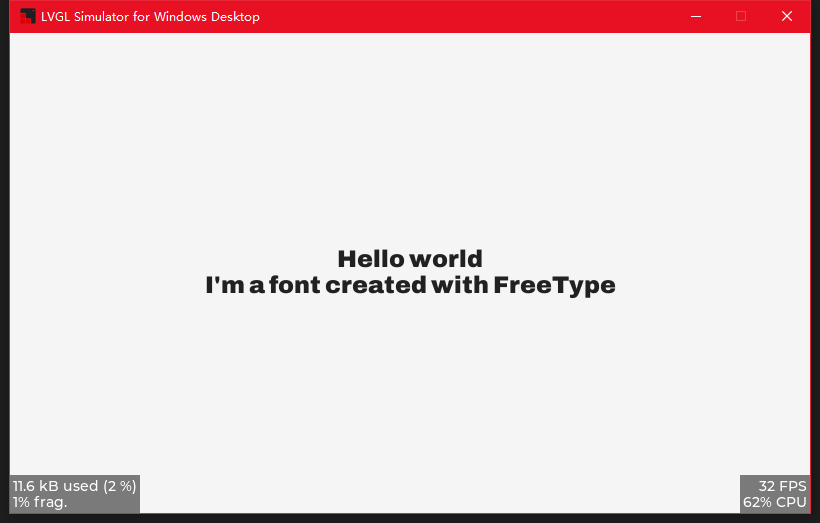
然后运行就可以看到字重900的Archivo-VF
下图是在LVGL模拟器上的运行效果。
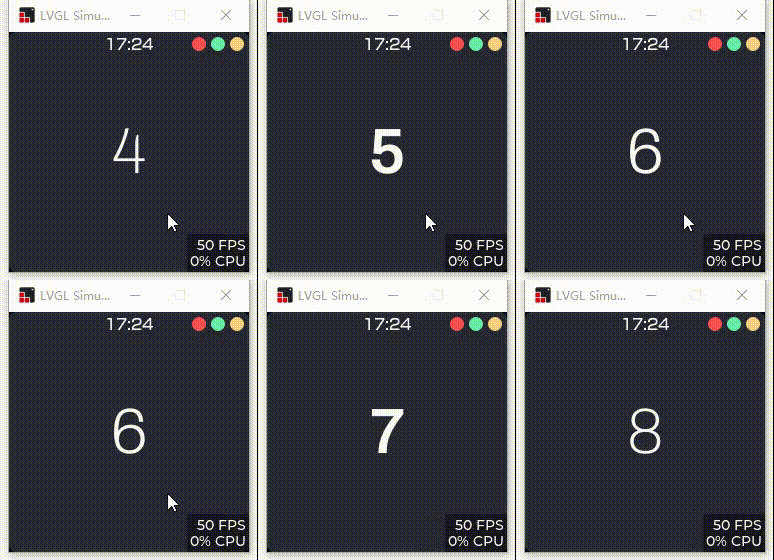
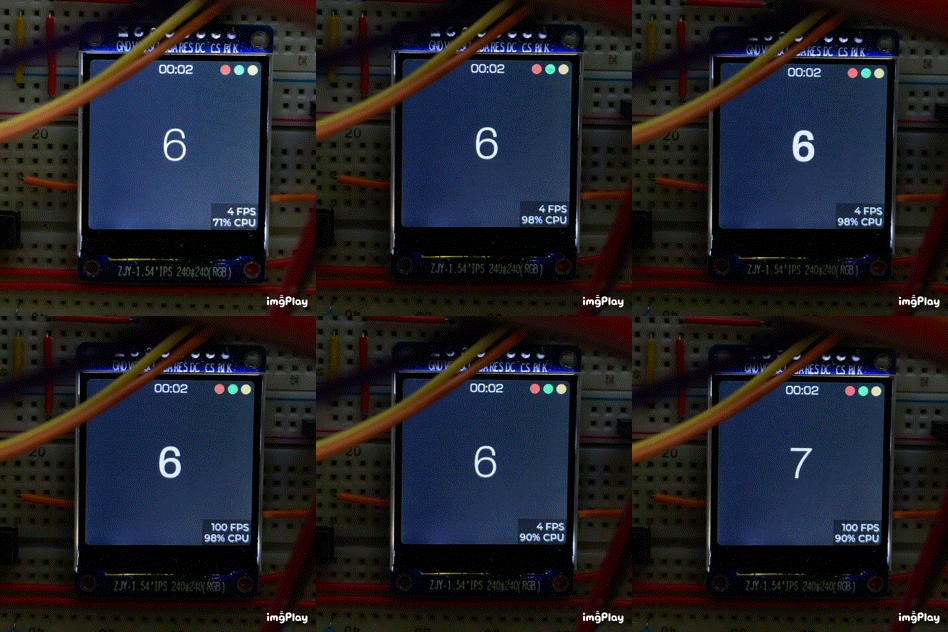
下集预告
环境
Windows 10 Pro 18363.1556
Microsoft Visual Studio Community 2019 16.6.2
LVGL 8.1.1-dev
FreeType 2.11.0
参考资料
- http://www.cppblog.com/cokecoffe/archive/2011/09/07/155264.html
- https://mingplusplus.com/tech/2014/09/13/freetype/
- https://baike.baidu.com/item/freetype/6281493?fr=aladdin
- https://www.arphic.com.cn/2017/09/28/variable-font-%E5%8F%AF%E5%8F%98%E5%AD%97%E4%BD%93/
- https://zh.wikipedia.org/wiki/FreeType